WordPress 6.9 added the Abilities API: a way for plugins to describe what they can do – with a name, an input and output schema, and a permission check – so that other code, including AI agents, can find and run it. Gallery Z registers four abilities. Together they let an assistant sort your Media Library into categories and build gallery pages from them, within the rights of the user it acts for.
What an ability is
An ability is a function with a contract. It has a name like gallery-z/find-images, a description written for whoever calls it, a JSON schema for its input and its output, and a permission callback. Abilities can also be annotated: read-only, destructive, idempotent. WordPress lists every registered ability over REST, validates the input against the schema before running it, and checks the permission as the current user.
That contract is what makes abilities useful for AI tools. An agent – whether it talks to WordPress through REST or through an MCP adapter that exposes abilities as tools – doesn’t have to guess at endpoints or scrape the admin. It reads the list, sees what each ability expects and returns, and calls it. The plugin decides what is possible; the user’s role decides what is allowed.
The four Gallery Z abilities
They are registered in the category gallery-z, only on WordPress 6.9 and later:
| Ability | What it does | Input |
|---|---|---|
gallery-z/list-categories | Lists the Gallery Categories with their item counts. Read-only. | none |
gallery-z/find-images | Finds Media Library images by category, by search text, or those without any category. Read-only. | category, search, untagged, limit (default 50, at most 500) |
gallery-z/tag-images | Adds, removes or replaces Gallery Categories on images; creates missing categories by name. | attachment_ids, categories, mode (add, remove, replace) |
gallery-z/create-gallery | Creates a page with a gallery of the given images, or of every image in a category, optionally with filter buttons. | title, attachment_ids or category, layout, filter, columns, status |
Over REST
All four are shown in REST. The list is at /wp-json/wp-abilities/v1/abilities, and each ability runs at /wp-json/wp-abilities/v1/abilities/<name>/run. WordPress picks the HTTP method from the annotations:
- GET for the read-only ones,
list-categoriesandfind-images. Input goes into the query string. - DELETE for
tag-images, because it is annotated as destructive – it can remove or overwrite categories – and idempotent: running it twice has the same effect as once. Input goes into the query string too. - POST for
create-gallery, which creates something new each time. Input goes into a JSON body underinput.
Using another method returns a 405 error. Authentication is WordPress’s own: an application password, for example, created under Users → Profile. Here are the calls against a test site, with their real responses:
$ curl -u "editor:APP PASSWORD" \
  "https://example.com/wp-json/wp-abilities/v1/abilities/gallery-z/list-categories/run"
[{"id":7,"name":"Architecture","slug":"architecture","count":23},
 {"id":10,"name":"Food","slug":"food","count":22},
 {"id":8,"name":"Nature","slug":"nature","count":23}, …]

$ curl -u "editor:APP PASSWORD" -G \
  "https://example.com/wp-json/wp-abilities/v1/abilities/gallery-z/find-images/run" \
  --data-urlencode "input[untagged]=true" --data-urlencode "input[limit]=3"
[{"id":681,"title":"Bagel vendor on cobblestones","alt":"Bagel vendor on cobblestones",
  "url":"https://example.com/wp-content/uploads/2026/09/pexels-photo-18186567-edited.jpeg",
  "categories":[]}]
The counts include posts and pages in a category, not only images. Tagging the one untagged image, and creating a draft page from three categories:
$ curl -u "editor:APP PASSWORD" -X DELETE -G \
  "https://example.com/wp-json/wp-abilities/v1/abilities/gallery-z/tag-images/run" \
  --data-urlencode "input[attachment_ids][]=681" \
  --data-urlencode "input[categories][]=Street"
{"updated":1,"skipped":[],"created_categories":[],
 "categories":[{"id":11,"name":"Street","slug":"street","count":24}]}

$ curl -u "editor:APP PASSWORD" -X POST -H "Content-Type: application/json" \
  "https://example.com/wp-json/wp-abilities/v1/abilities/gallery-z/create-gallery/run" \
  -d '{"input":{"title":"Weekend picks","attachment_ids":[165,196,150,166,195,151,164,194],
       "layout":"grid","columns":4,"filter":true}}'
{"id":1208,"status":"draft","images":8,
 "edit_link":"https://example.com/wp-admin/post.php?post=1208&action=edit",
 "view_link":"https://example.com/?page_id=1208"}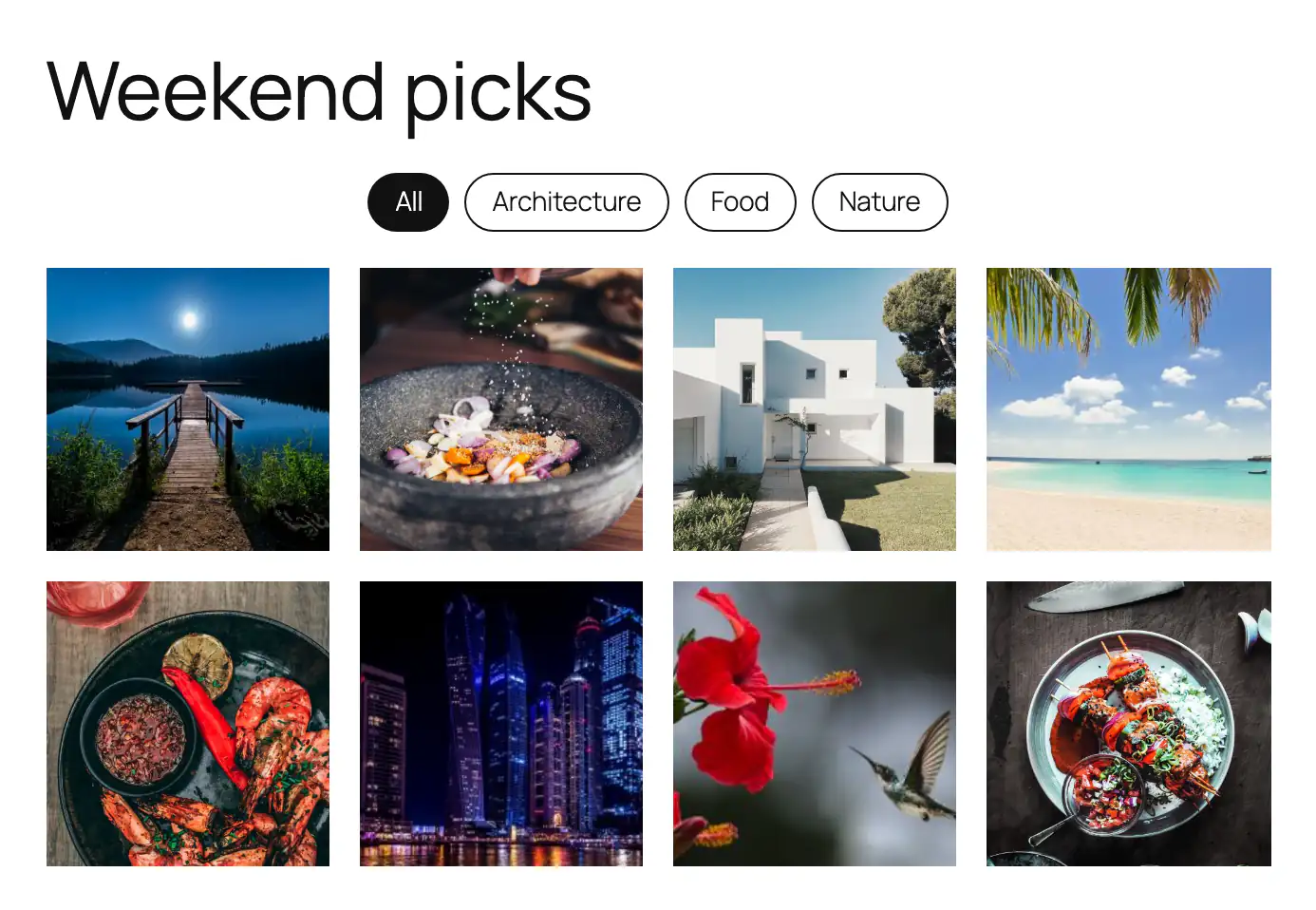
The details that matter
- Categories by name.
tag-imagesandcreate-galleryaccept a category’s name or slug, so an agent can say “Street” without looking up an ID. Inaddandreplacemode, a category that doesn’t exist yet is created. - Honest results.
updatedonly counts images whose categories actually changed; IDs that aren’t images, or that the user can’t edit, come back inskipped. New categories are listed increated_categories. - Drafts by default.
create-gallerysaves a draft unlessstatusispublish. A person reviews the page before anyone else sees it. - Real blocks. The page holds a Filterable Gallery of core Image blocks with the lightbox on – the same markup you’d get in the editor, editable like any other page.
layoutis one of masonry (the default), rows, grid, carousel or accordion;columnsis 1 to 8. - Clear errors. An unknown category returns a 404 error that names the category; a call that ends up with no images returns a 400.
Permissions
Every ability checks the rights of the user it runs as – the same checks as in the admin:
| Ability | Needs |
|---|---|
list-categories, find-images | upload_files |
tag-images | upload_files, the right to assign Gallery Categories, and edit_post for each image; creating a new category also needs the right to edit categories |
create-gallery | edit_pages, and publish_pages to publish right away |
In practice: an Author can find and tag their own uploads but can’t build pages; an Editor can do everything, including publishing. Give an agent an application password for a user with the role you want it to have – not an administrator’s.
What to use it for
- Sorting a backlog. Ask an assistant to go through the images without a category, look at each one, and tag it. It calls
find-imageswithuntagged, thentag-imagesin batches. You check the result in the Media Library’s category column. - A gallery from a brief. “Make a page with our best food photos, in a grid, with filters.” The agent finds candidates, and
create-galleryleaves a draft for you to adjust. - Housekeeping.
list-categoriesshows categories with few items;tag-imagesinreplacemode merges them onto the right images. - Your own scripts. Nothing here is AI-specific. A deploy script or another plugin can call the same endpoints – or
wp_get_ability( 'gallery-z/find-images' )->execute()in PHP – with the same validation and permission checks.
The abilities don’t send anything anywhere. Nothing leaves your site unless a tool you connect calls it, and then only what the user behind that tool is allowed to see.
Reference with every input and output field: AI & Abilities API in the docs. The calls above ran against a local test site; IDs and URLs will differ on yours.