Moving a site off a gallery plugin sounds like an afternoon of re-uploading photos and retyping captions. It doesn’t have to be. Gallery Z reads Envira Gallery, NextGEN Gallery, Modula and FooGallery galleries straight from the database and turns each one into a draft page with a filterable gallery. Here is how that works, what comes along, what doesn’t, and what the switch saves.
Before you start
Make a backup, as with any change that writes to the database. Then install and activate Gallery Z next to your current plugin. You don’t need to deactivate the old one: the importer reads its data directly, so it works whether the old plugin is active, deactivated, or already deleted – as long as its galleries are still in the database.
The import doesn’t change or delete anything that belongs to the old plugin. It only adds draft pages, and it adds Gallery Categories to your images. If you don’t like the result, delete the drafts.
The import, step by step
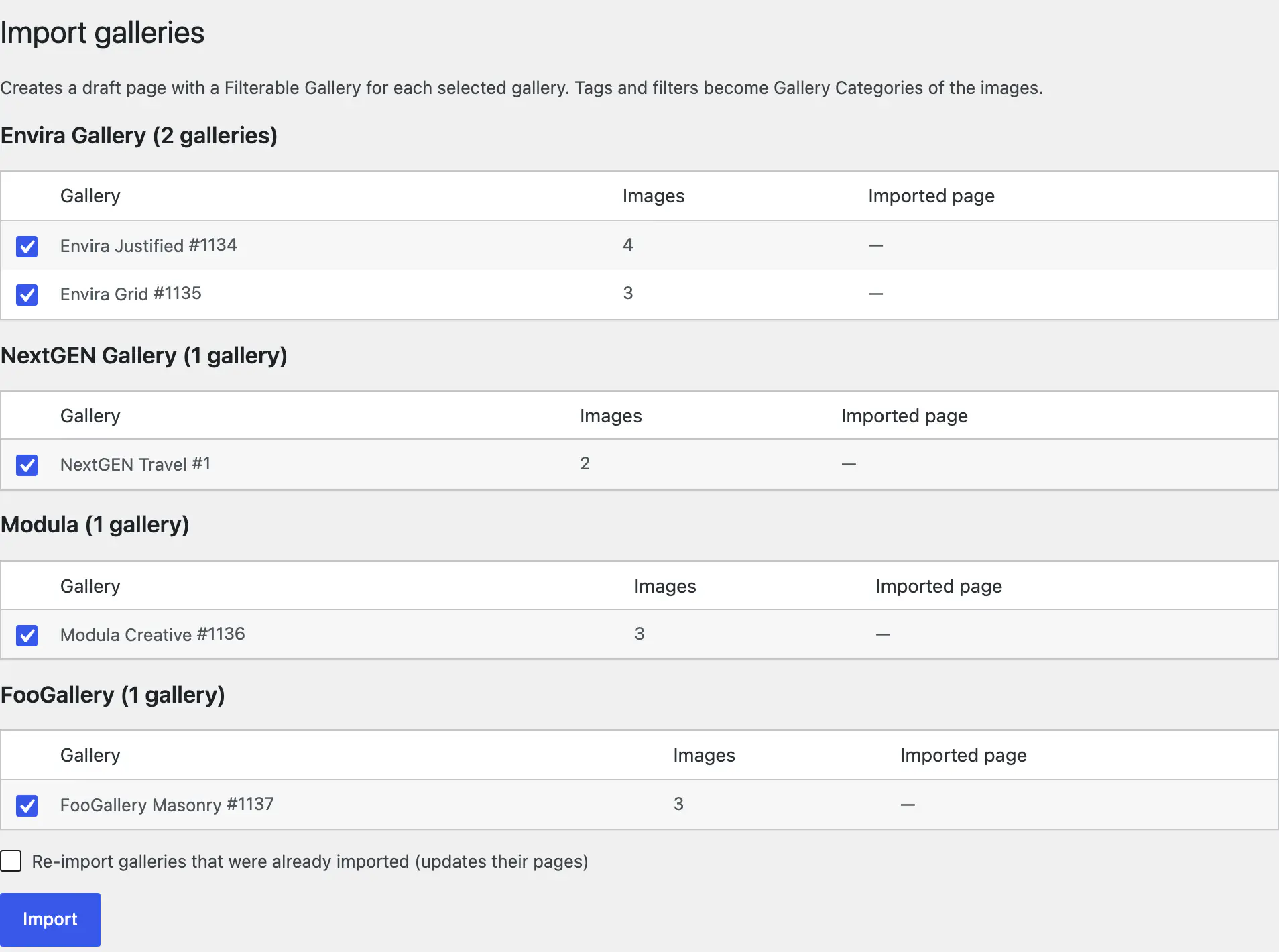
- Go to Tools → Gallery Z import (you need to be an administrator). The page lists every gallery it found, grouped by plugin, with its image count.
- Galleries that haven’t been imported yet are ticked. Untick the ones you don’t need.
- Click Import. For each gallery you get a line with the result and a link to the new draft page.
- Open a draft, look at the layout and the filter, and publish it – or copy its blocks into the post where the old gallery lived.
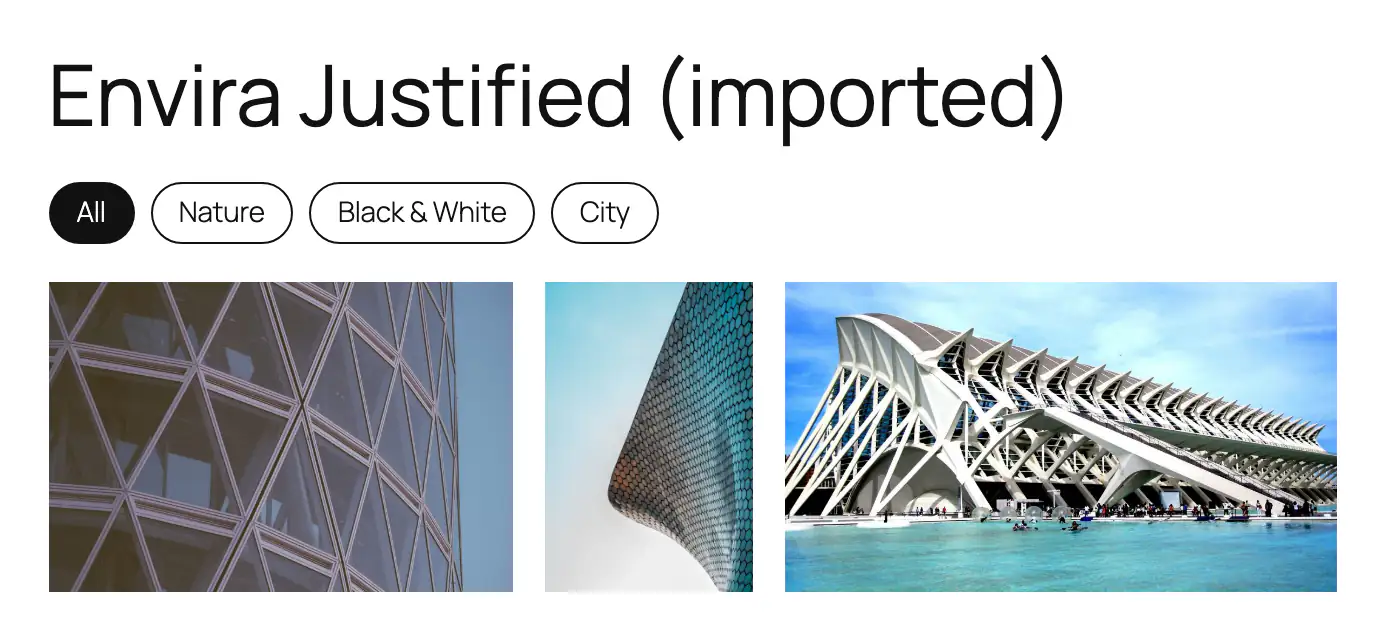
Each draft is called “title (imported)” and holds a Gallery Filter – when the images have tags – above a Filterable Gallery. The photos inside are ordinary core Image blocks, so you can edit, reorder or replace them like any other image.
Running the import again skips galleries that are already done. The importer remembers the source of each page (envira:123, for example, in the page’s _gallery_z_imported_from field). If you change a gallery in the old plugin and want the change over, tick Re-import galleries that were already imported: the existing page is updated rather than duplicated.
What comes along
- Images, in their gallery order. Envira, Modula and FooGallery already keep them in the Media Library, so nothing is copied. NextGEN keeps its own folders, so its files are copied into the Media Library once.
- Captions and alt text. Captions arrive as plain text: any HTML in them is stripped.
- Links set on single images, including “open in a new tab”. If any image has a link, the gallery’s click behavior is set to Link. Otherwise it opens a lightbox when the old gallery had one. Envira links that just point to the image file count as its lightbox, not as a link.
- Columns (up to eight) and, for justified galleries, the row height.
- The layout: masonry and Modula’s creative layout become masonry, justified and automatic layouts become justified rows, and everything else becomes a grid. NextGEN galleries become a grid with a lightbox.
- Tags and filters: Envira image tags, NextGEN picture tags, Modula filters and FooGallery’s tags and categories become Gallery Categories on the images. A category that already exists with the same name is reused, so two imported galleries with a “Nature” tag end up in one category.
What doesn’t
Some things have no equivalent, or are better set again by hand:
- Sliders and slideshows. Gallery Z has a carousel, but the importer doesn’t guess at slider settings; switch the layout to carousel afterwards if that’s what you want.
- NextGEN albums. The galleries in an album are imported one by one; the album itself isn’t.
- Pagination and “load more” buttons. A Gallery Z gallery shows all of its items and lazy-loads the images.
- Lightbox themes, spacing and hover effects. Gallery Z has its own (dark, light or frosted lightbox; zoom, lift, grayscale or dim-others on hover), set in the block sidebar.
- Caption formatting, as mentioned: captions become plain text.
Old shortcodes keep working
Galleries are usually embedded with a shortcode, and sometimes in dozens of posts. On the import page there is an option – off by default – that makes the old shortcodes show the imported gallery instead:
| Shortcode | Shows |
|---|---|
[envira-gallery id="…"] or slug="…" | The imported Envira gallery |
[modula id="…"] | The imported Modula gallery |
[foogallery id="…"] | The imported FooGallery gallery |
[ngg src="galleries" ids="…"], [ngg_images gallery_ids="…"], [nggallery id="…"] | The imported NextGEN galleries |
It replaces the old plugin’s shortcodes even while that plugin is still active, which lets you compare before you switch it off. A shortcode for a gallery that wasn’t imported shows nothing, and NextGEN shortcodes that point at albums or tags aren’t covered. In the long run it’s cleaner to replace each shortcode with the gallery blocks, but there is no rush.
Many galleries: WP-CLI
The same importer runs from the command line. list shows what it finds, and --dry-run shows what it would do, without writing anything:
$ wp gallery-z import all --dry-run
source      id    title               images  status        note
envira      1134  Envira Justified    4       would-import  rows, 0 columns
envira      1135  Envira Grid         3       would-import  grid, 3 columns
nextgen     1     NextGEN Travel      2       would-import  grid, 0 columns
modula      1136  Modula Creative     3       would-import  masonry, 4 columns
foogallery  1137  FooGallery Masonry  3       would-import  masonry, 4 columns
“0 columns” means the block’s default is used. Then import one plugin, a few galleries, or everything: wp gallery-z import envira --ids=1134,1135, wp gallery-z import all, and --force to update pages that were already imported.
What the switch saves
Filter buttons are the feature most people buy a gallery add-on for. Here is what they cost with each plugin, as listed on the vendors’ pricing pages when we checked in September 2026, next to what the plugin loads on a page with a gallery and a lightbox:
| Plugin | Filter buttons | JavaScript (gzipped) |
|---|---|---|
| Envira Gallery | Plus plan: $69.50 the first year, then $139 a year (3 sites) | ~29 KB + jQuery |
| Modula | Starter plan: €34 the first year, then €68 a year | ~72 KB + jQuery |
| FooGallery | PRO Expert: $79.99 a year | ~57 KB + jQuery |
| NextGEN Gallery | Search by tag, from $99.50 | ~20 KB + jQuery |
| Gallery Z | Free, with six styles, counts and a dropdown | ~8 KB, no jQuery |
Over three years that is $347.50 for Envira’s Plus plan and €170 for Modula’s Starter plan. FooGallery doesn’t state its renewal price; at the listed price, three years come to $239.97. Prices change, so check the vendor’s page before you decide – the comparison on our home page lists the sources and the date.
The script sizes are the gzipped files each free version loads for a default gallery with a lightbox. jQuery adds about 35 KB if your theme doesn’t load it anyway.
After the import
Publish the drafts you want, or move their blocks into the original posts. Check a few galleries on a phone. When every shortcode is either replaced or covered by the replacement option, deactivate the old plugin. Its data stays in the database until you delete the plugin, so you can re-run the import later if you need to.
The full list of what carries over, per plugin, is in the docs: Switching from other plugins.